

-2.png?width=300&name=Untitled%20design%20(9)-2.png)
Why I use Siri
I'm surprised how few people use Siri, given how much time it saves. I talk to my phone instead of tapping at the screen, and it does the job while I'm walking, driving or between meetings.
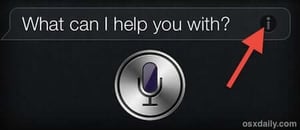
The hardest part was the habit, because I kept reaching for the keyboard. I made a point of noticing that moment and asking myself whether I should be talking to my phone instead, and within a few days it had stuck.
How to use Siri on a current iPhone
- Press and hold the side button (the button on the right) until Siri appears, then speak.
- Or just say "Siri" or "Hey Siri", if you've turned that on in Settings > Siri.
- Or type to Siri if you can't talk out loud, for example in a meeting. You can switch this on in Settings > Siri.
Speak normally. You don't need to talk slowly any more.
My top 15 Siri voice commands
I've listed these in order of how useful they are to me, most useful first.
- "Call [name]": rings the person straight from your contacts.
- "Tell [name] I'll be there in ten minutes": sends a text message without touching the screen.
- "Read my messages": reads your new texts out loud, so you can reply by voice.
- "Remind me to [task] at 3pm": adds a reminder at a set time.
- "Remind me to [task] when I get to the office": the reminder pops up when you arrive somewhere (Location Services needs to be on).
- "What's on my calendar today?": reads out the day's appointments.
- "Add a meeting with [name] tomorrow at 10am": puts it in your calendar.
- "Email [name] about [subject]": starts an email, which you then dictate.
- "Take a note": opens a new note and types what you say.
- "Directions to [place]": starts navigation in Maps.
- "Set a timer for 25 minutes": useful for focused blocks of work.
- "Wake me up at 6am": sets an alarm.
- "Convert 500 US dollars to Australian dollars": quick currency and unit conversions.
- "Turn on Do Not Disturb": silences calls and notifications when you need to concentrate.
- "Open [app name]": launches any app.
Siri for people who run their own practice
If you run your own practice, most of your day is phone calls, messages and small follow-ups. This is where Siri saves me the most time.
The two commands I use most are for clients. I say "Call Joe Bloggs" and the call goes straight through, and I say "Tell Joe Bloggs I received your email" to send a quick text reply without stopping what I'm doing.
A few more that fit the same kind of day:
- "Remind me to call [client] back tomorrow at 9", straight after a conversation, so nothing slips.
- "Read my messages" between meetings, so you know who needs an answer.
- "What's on my calendar tomorrow?" at the end of the day.
Saving an hour a week matters most when that hour goes into the work that brings clients in. That's what my newsletter is about, and you can join it below.
Final thoughts
Most people know Siri can do these things, but they don't use it, and I think it comes down to habit. Next time you reach for the keyboard on your phone, ask yourself "should I be talking to my phone right now instead of typing?"
It changed how I use my phone, and I hope it does the same for you.